


WebTextEditor introduces new ways to work with table. User can insert table through intuitive Insert Table pop up similar to Microsoft Word, or through Insert Table task pane for more advanced table design task.
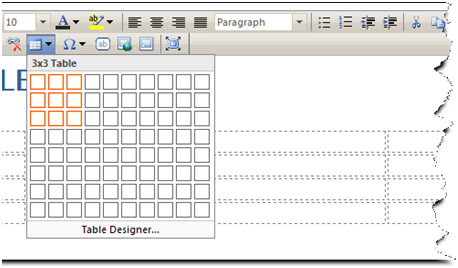
For further information about how to insert table through task pane, please refer to Task Pane documentation.
In This Section
How-to: Insert table to WebTextEditor